
Survey data rarely stays in one place. Teams need it in dashboards, spreadsheets, CRMs, and analysis tools, often within minutes of a respondent finishing. The Decipher REST API makes that possible. It lets other systems talk to your surveys directly, so data moves without manual downloads.
At LinkInfoTech, we help research teams connect their surveys to the systems they rely on, so data reaches the right place without manual effort. In this guide, we’ll explain what the Decipher REST API is, what it can do, and how to use it safely and effectively.
What Is the Decipher REST API?
The Decipher REST API is a programming interface that lets software connect to the Decipher platform, now part of Forsta. Instead of logging in and clicking through menus, a script or application sends requests and receives responses automatically.
REST stands for Representational State Transfer. It’s a common design style for web interfaces. Requests use standard web methods, and responses usually arrive in JSON, a simple text format that most programming languages read easily.
This approach helps teams automate repetitive work. Rather than downloading a file every morning, a script can pull fresh responses on a schedule. Therefore, data reaches reporting systems faster and with fewer manual steps.
Turn Survey Data Into Business Decisions Faster
Technology-driven market research for faster, smarter insights.
Why Teams Use the Decipher REST API
Manual data handling slows projects and invites mistakes. Moreover, modern research workflows involve many connected tools. An API bridges those tools smoothly.
Here’s what teams gain:
- Automation – Scripts replace repeated manual downloads and uploads.
- Speed – Data moves as soon as it’s available.
- Fewer errors – Machines transfer data the same way every time.
- Integration – Surveys connect to dashboards, databases, and business systems.
- Scalability – One process can handle many surveys at once.
Consequently, agencies and in-house research teams use APIs to handle larger volumes without growing their workload.
How REST APIs Work in Simple Terms
Understanding the basics makes the Decipher REST API easier to use. Every interaction follows a similar pattern.
- The Request
Your script sends a request to a specific web address, called an endpoint. Each endpoint handles a particular task, such as retrieving data or listing surveys. - The Method
The request uses a method that describes the action. Common methods retrieve information, create something new, update existing items, or delete them. - Authentication
The platform checks that your script has permission. Typically, you provide a key or token with each request, so only authorized users can access data. - The Response
The system returns the requested information, usually as JSON, along with a status code that shows whether the request succeeded.
Because REST requests don’t depend on earlier ones, each call stands alone. This design keeps integrations simple and predictable.
What Can You Do With the Decipher REST API?
The platform’s documentation groups API calls into several categories. Each supports a different part of the research workflow.

- Data input and output – Retrieve responses, or push data into surveys.
- Data feeds – Pull data from several live surveys at once.
- Importing data – Load records into a survey from outside sources.
- Modifying data – Update existing participant records.
- Survey metadata – Read information about survey structure.
- Portal calls – Manage projects and organizational items.
- Campaign management – Work with distribution and invitations.
- Reporting calls – Access report-related outputs.
- Sample provider tools – Connect with outside sample sources.
Together, these categories cover much of what researchers do manually inside the interface. Teams can therefore automate nearly any repetitive step.
Understanding the Data Feed
One of the most useful capabilities is the data feed. It retrieves data from multiple live surveys through a single endpoint. Analysts can limit the feed by date or by survey path, so it returns only the surveys they need.
Here’s how the feed works in practice:
- Survey Selection
Unless you provide a specific list, the feed considers every live or closed survey your account can access. It rechecks this list with each request, so newly launched surveys join automatically. - Incremental Retrieval
After building the list, the feed returns only participants whose data changed since the last call. This keeps transfers small and efficient. - Record Limits
Each call returns a limited batch of records. If more data exists, you simply request the next batch. - The Complete Flag
Each response includes a flag showing whether all available data has been pulled. A value of true means you’re caught up. A value of false means more data remains, so you should advance the feed and call again. - The Acknowledgement Key
Each response also includes a unique key tied to that batch of data. You use it to advance the feed, which prevents duplicate records across repeated calls.
This design makes the feed reliable. Because it tracks what you’ve already received, you never need to compare files manually.
Managing a Data Feed
Beyond retrieving data, you can control the feed itself. Several actions help you keep it organized.
- Create a feed – Start a new feed across your available projects.
- Advance a feed – Pull the next batch of new data.
- Clear a feed’s state – Reset it so retrieval starts over.
- Retrieve a feed’s state – Check where the feed currently stands.
- Update a feed’s state – Adjust its internal position when needed.
Use reset options carefully. Clearing a feed state can cause old data to flow again, which may create duplicates in downstream systems.
Turn Complex Datasets Into Strategic Business Growth
Enterprise-grade data processing, statistical analysis, and customized tabulations to power your insights.
Building Your First Integration
A clear process reduces mistakes, especially for teams new to APIs.
Step 1: Define the Goal
Decide what data you need and where it should go. A clear target shapes every later choice.
Step 2: Review the Documentation
Read the official guides for the calls you plan to use. Documentation explains required inputs and expected outputs.
Step 3: Get Access
Confirm your account has the right permissions, and keep credentials secure.
Step 4: Test With a Small Survey
Try your script on a low-risk project first. Check that the data arrives complete and correctly formatted.
Step 5: Handle Errors
Plan for failed requests, slow responses, and unexpected data. Good scripts retry safely and log problems.
Step 6: Schedule and Monitor
Run the integration on a schedule, and watch for gaps or duplicates.
Teams new to the platform itself can strengthen their foundation with a hands-on Decipher tool tutorial before moving to automation.
How the API Fits the Platform
The API doesn’t replace the interface. It extends it. The Decipher survey platform handles building, fielding, and reporting, while the API connects those capabilities to everything else your team uses.
For example, a research agency might send completed interviews to an internal dashboard every few minutes. Meanwhile, a client portal might display live counts without anyone exporting a file.
Data Quality and the API
Automation speeds delivery, but it also speeds the spread of mistakes. If a survey contains routing errors, those errors will flow straight into connected systems.
Therefore, strong survey programming and thorough testing matter even more when integrations are involved. Clean logic produces clean data, and clean data makes automation safe.
Good data collection and survey practices also include validation on the receiving end. Check record counts, confirm required fields, and flag unusual values before data enters reports.
Use Cases in Market Research
APIs support many everyday research tasks. In a large market research survey, teams often need live progress counts, quota monitoring, and fast data delivery to clients.
Common uses include:
- Live dashboards – Show completes, quotas, and trends in real time.
- Automated exports – Deliver daily files to clients without manual work.
- Data warehousing – Store survey data alongside other business records.
- Tracking programs – Combine waves into one long-term dataset.
- Alerts – Notify teams when quotas fill or completion drops.
These uses save hours and improve client communication.
Moving Data Into Analysis Tools
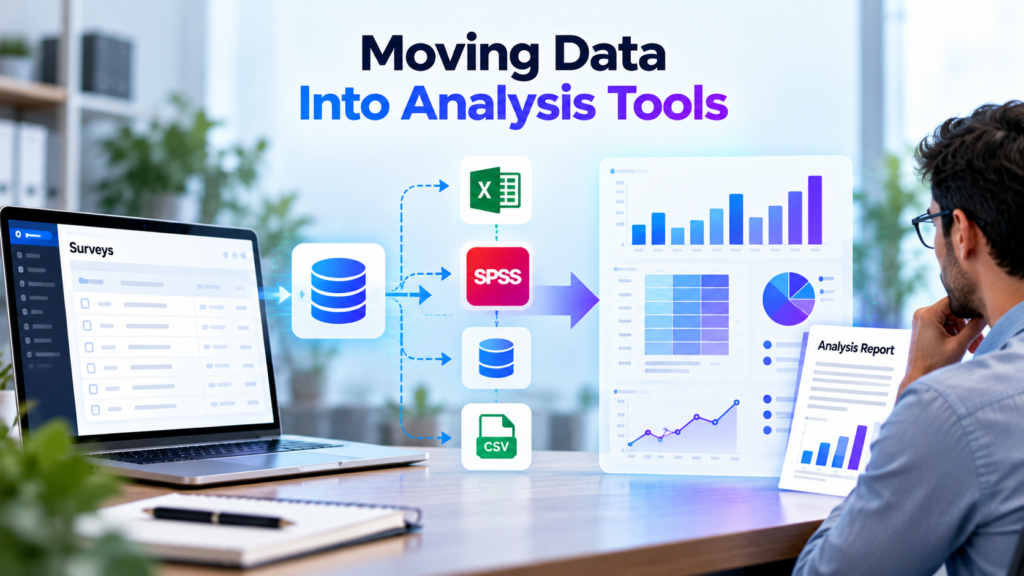
Once data leaves the platform, analysts need it in a usable format. Many teams send API output into statistical software, spreadsheets, or databases.
Understanding data analysis tools helps you choose the best destination for each project. Similarly, learning how to move data from Excel to SPSS helps when your pipeline ends in a spreadsheet before reaching statistical software.
After loading, analysts can run cross-tabulation to compare segments and spot patterns. Finally, a structured approach to how to make a data analysis report turns those findings into recommendations that stakeholders can act on.
Security and Access Best Practices
APIs expose valuable data, so security deserves attention.
- Protect credentials – Never place keys in public code or shared documents.
- Limit permissions – Give each integration only the access it needs.
- Use secure connections – Send requests over encrypted channels.
- Rotate keys – Replace credentials periodically and after staff changes.
- Log activity – Keep records of who accessed what, and when.
- Respect privacy rules – Handle respondent data according to applicable regulations.
Additionally, document every integration. Future team members should know what each script does and who owns it.
Common Mistakes to Avoid
Even experienced developers run into predictable problems.
- Skipping the acknowledgement step – Duplicate records appear in downstream systems.
- Ignoring the complete flag – Scripts stop early and miss data.
- Hard-coding credentials – Keys leak through shared code.
- No error handling – One failed request breaks the whole process.
- Testing on live projects – Mistakes affect real data.
- Poor documentation – Nobody understands the integration later.
Careful planning and small-scale testing prevent most of these issues.
Best Practices for the Decipher REST API
- Read the official documentation before writing any code.
- Test with a small, low-risk survey first.
- Advance feeds correctly to avoid duplicates.
- Check the complete flag on every response.
- Build in logging, retries, and error alerts.
- Secure credentials and limit access.
- Validate data before it reaches reports.
- Document every integration clearly.
Following these habits keeps your automated workflows reliable and easy to maintain.
Program Complex Questionnaires and Skip Logic
Expert survey scripting, advanced routing, and multi-language configurations for flawless data collections.
Conclusion
The Decipher REST API turns a survey platform into a connected part of your research ecosystem. From data feeds to imports, metadata, and reporting calls, it automates the repetitive work that slows teams down.
However, automation rewards preparation. Clean survey logic, careful testing, secure credentials, and thoughtful error handling keep integrations trustworthy. Teams that invest in these foundations gain faster delivery, fewer mistakes, and more time for real analysis.
Ultimately, an API doesn’t change what good research needs. It simply helps good research move faster.
Frequently Asked Questions
It’s an interface that lets software connect to the Decipher platform to retrieve, import, or manage survey data automatically.
The data feed returns data in JSON format, which most programming languages and analysis tools can read easily.
The complete flag shows whether all available data has been pulled, while the acknowledgement key advances the feed to prevent duplicate records.
Yes, the data feed can retrieve data from multiple live surveys through a single endpoint, optionally limited by date or survey path.
Yes, basic programming knowledge helps, since you write scripts that send requests and process responses.